Talent Explorer: built around search, still in daily use a decade later
I specified what myVeeta's recruiter interface should do and designed the information architecture and user experience around its search and filter capabilities in 2014. It's still in daily use, and in 2024 I turned a settings-page brief into a redesign, addressing design debt and accessibility, that will be implemented soon.
TL;DR
- I designed the information architecture and UX of myVeeta's recruiter interface in 2014. It launched in 2015 and is still in daily use at DACH enterprise companies.
- Key decision: centre it around search, so recruiters can find the right talent in large pools.
- In 2024 I turned a settings-page brief into a redesign and component library. It's designed and will be implemented soon.
Context

Context
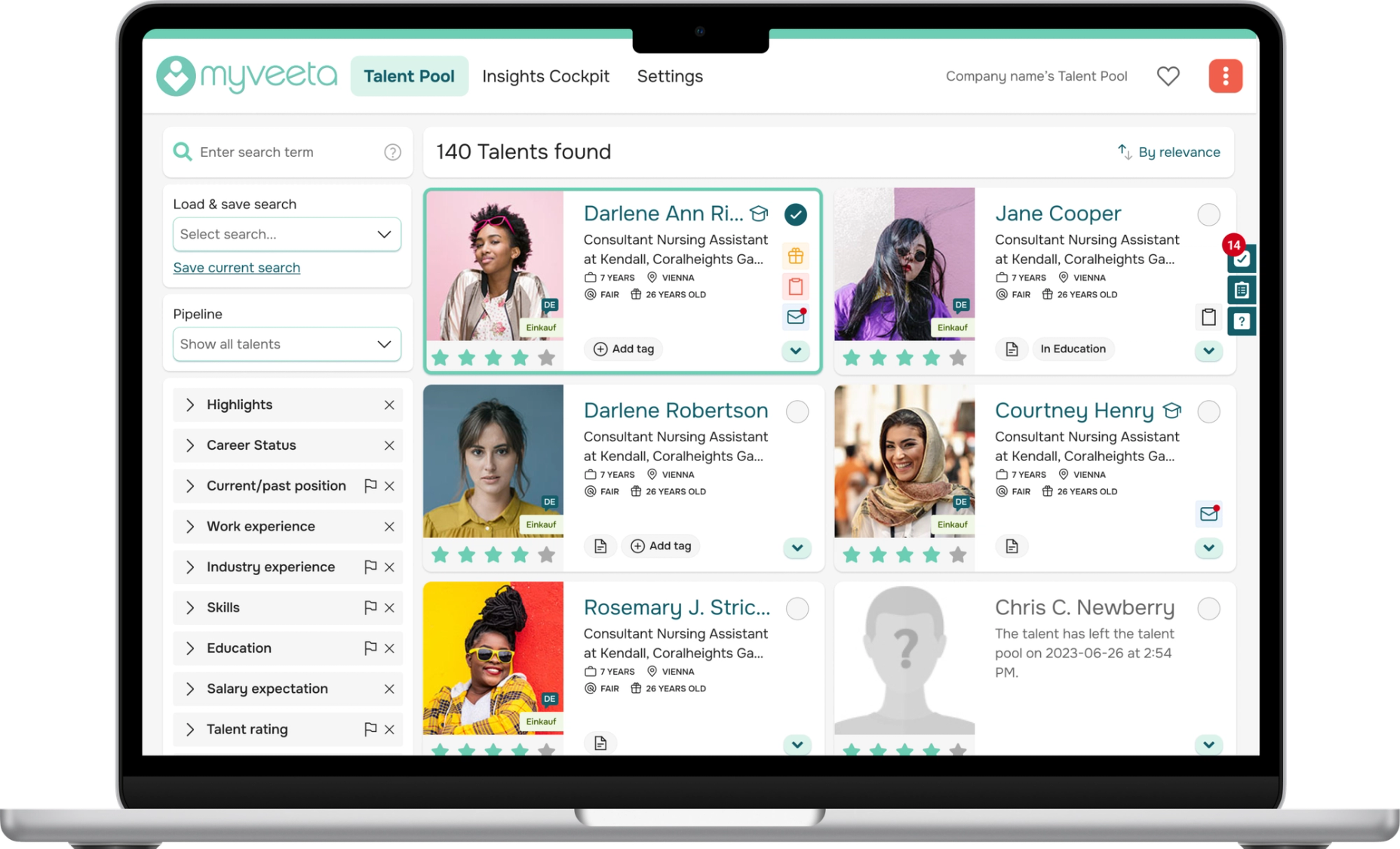
Talent Explorer is myVeeta's recruiter interface. Recruiters at large companies use it to build lasting relationships with the talents in their pool, so they can hire from that pool first. Our customers were enterprises with more than 5,000 employees. This meant pools would be large, and the product would only perform if recruiters could find the right talent in them.
The problem
We chose not to compete with the large applicant tracking systems (ATS) on features. Which leaves the question: how do you make a large pool useful to a recruiter with an open role?
A decade later there was a second problem. Between 2019 and 2024 features were added on a running basis without a shared design system, and inconsistencies built up.
My part
2014–2015: research, information architecture, UX and product specification. The initial UI was done by an external designer, and I gave design feedback on it. Launch in 2015.
2019: relaunch with extended functionality including task management, reminders and more. I designed the concepts for the new features, and an external designer did the UI under my direction.
2019–2024: features added without a shared system on a running basis.
2024–2025: the redesign, accessibility and design debt audits, and an accessible component library.
Process

Build it around search (2014)
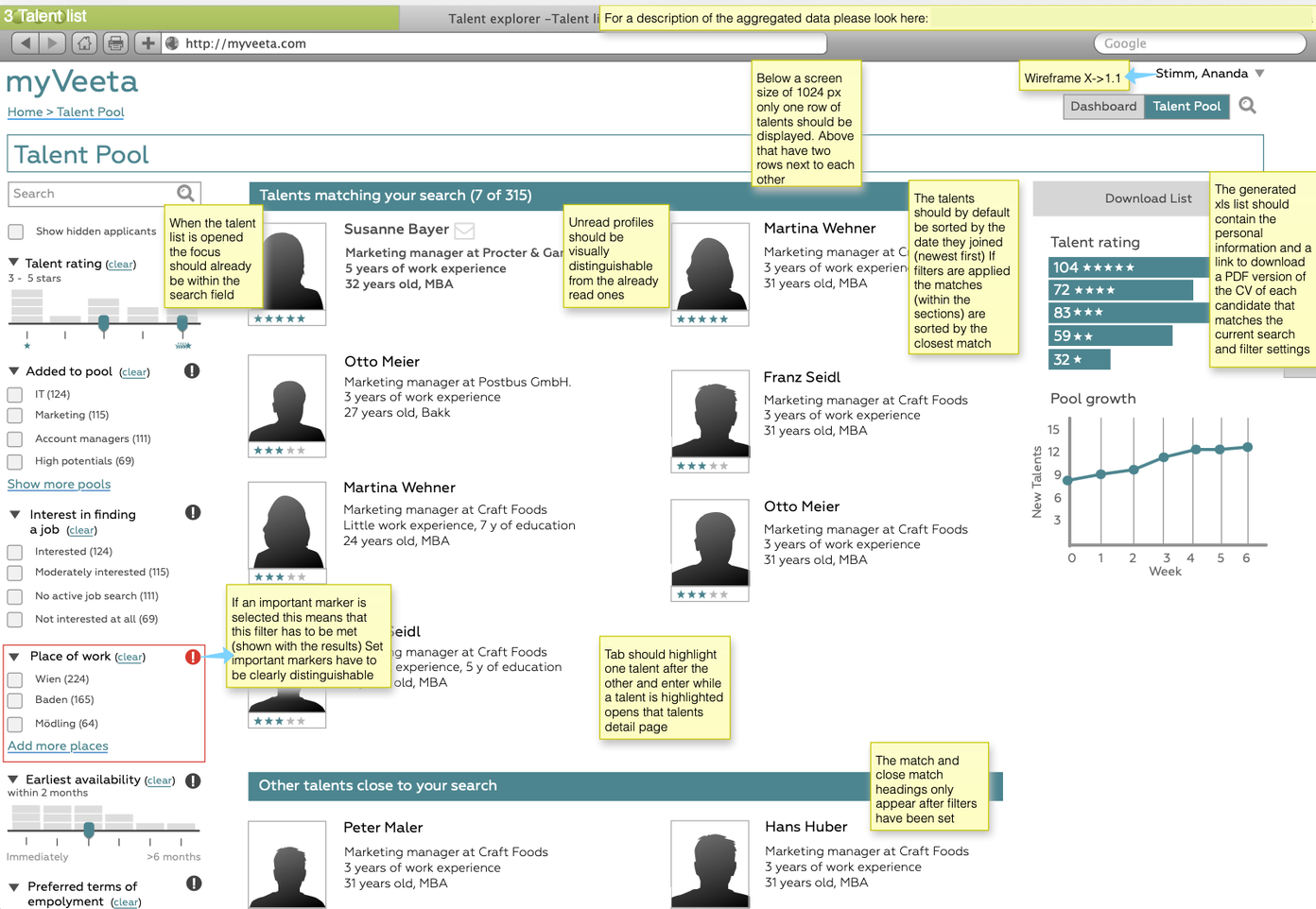
The research was an analysis of existing application processes, surveys with talents, a questionnaire and a paper prototype test with recruiters. It revealed that the interfaces (mostly ATS) recruiters used to review talents were very technical and crowded, search was hard to use and overview of who was already in the system was not a given.
I designed Talent Explorer around search: free-text search, around 20 filters and saved searches. Recruiters can also organise talents themselves with pipelines, tags and star ratings, and filter by those too.
The tradeoff here is that twenty filters is a lot. So they're collapsed by default and sorted by what gets used most. Saved searches let recruiters return quickly to roles they hire for often.
A decade later, a customer success note on one customer reads: "Wir mögen das Tool (besonders die Suche und Übersicht - besser als unser Recruiting Tool)." They like the tool, especially the search and the overview, which they find better than their recruiting tool (ATS).
Design with real data (2019)
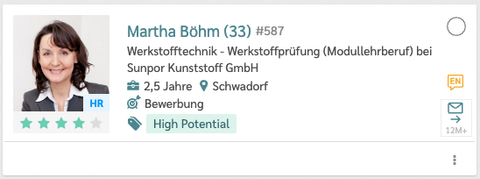
While the external designer redesigned the UI, I designed the concepts for the task management, birthday & anniversary reminders as well as link tracking in messages that were added at the same time. My direction of the UI came through design reviews, where I kept pulling the designs towards real data instead of ideal data: a talent detail view with minimal data, long names or e-mail addresses, and a talent card for profiles without a photo or age that shows the source the talent came from instead.
A settings-page brief turned into a redesign (2024)
The brief was to modernise the content of the settings page. I also prepared a version with a refreshed, more accessible look. My argument: it was a good time to refresh the interface, and better contrast, visual hierarchy and adapted font sizes make it easier to read and use. So I got the CEO and the CTO on board.
Change the design layer only (2024)
The CTO's condition was to change the design layer only, not functionality, to keep development effort at a manageable amount. This meant the navigation structure of Talent Explorer and the talent details couldn't change.
 Wireframe2024 Redesign
Start from full screens, then components (2024–2025)
As part of the redesign I audited accessibility and design debt which consolidated 23 different button types and icon redundancies, and improved colour contrast and font sizes. I then designed a component library with accessible design tokens. One question that came up for me was: is it better to work from components up, or to try changes in full screens first? I went with full screens, starting with the talent card, and applied what worked back to the components, which let me see how the different elements worked with each other before committing to them.
 20192024
Where it stands and reflection

Open questions
Working with the design layer only left a few things I would have improved. Two examples:
Filtering the activity stream. In recruiter trainings it raised questions about which activities it shows. A simple tab interface would answer that and give focused views.
Showing a talent's CV inline instead of in a new tab, which takes recruiters out of their flow. Before that change, I would check with a few recruiters whether opening CVs in new tabs is part of their workflow, for example to compare CVs side by side.
Where it stands
The design is complete and will be implemented soon.
Reflection
Recruiters value the search and filters. But they often miss the pool's value if their process doesn't include checking it at the start of the hiring process. That's where matching talents comes in.